Limits and troubleshooting
What Hawser 2.0 does not do yet, area by area, then what to do when a connection or a transfer fails.
This page has two parts. The first lists what is missing from version 2.0.0 for macOS , area by area. It is drawn from the shipped code, not from intentions. The second gives what to do, symptom by symptom, with the exact messages you will see on screen.
A feature listed here as missing is not necessarily missing from the engine. Many exist on the Rust side and are only waiting for a button. That is good news for what comes next: they can arrive without changing your vault format.
Tip The application's built-in help (the Aide entry in the rail, Help) announces a few features that do not exist yet: agent forwarding, ⌘F, Touch ID, a « Settings » view. Each discrepancy is flagged below, where you would look for it.
SSH and SFTP are complete, jump host included. FTP works: connecting, browsing, uploading, downloading, creating, renaming and deleting folders. Telnet goes through the native engine, IAC negotiation included, with automatic reconnection.
Careful FTPS does not exist. An FTP session travels in the clear, password included. The « FTPS (TLS explicite) » (explicit TLS) checkbox was removed from the host record because it had no effect. The protocol-choice card still shows « FTP / FTPS — Classic FTP with optional TLS »: that label is wrong. Use FTP only on a network you control.
This version SSH agent authentication cannot be selected: the picker only offers « Password » and « Clé SSH » (SSH key). The « SSH Agent Forwarding » checkbox on the Authentication tab is saved but never passed to the engine — it does nothing.
This version Advanced tab: « Keep-alive (ms) » and « Keep-alive max » are saved but have no effect. « Ready timeout » is applied only above 180,000 ms; below that, the timeout stays at 180 s. The engine also cuts any SSH session left 10 minutes without traffic: the tab reconnects, with the screen cleared and the working directory lost.
This version The Termius / Royal TSX / SecureCRT import produces nothing. With « Auto-detect » you get Nothing to import; with an explicit format, unknown format: termius. Workaround: export your hosts as ssh_config from the other client, then use the OpenSSH import (⌘K → import). That import does read ProxyJump, but does not resolve it into a jump host: bastions have to be re-selected by hand.
This version The 📡 Test entry in the ⋯ menu of a host card always fails: « Endpoint /api/ping non disponible dans cette build (commande native non câblée). » (the /api/ping endpoint is not available in this build). Use the 📡 Test all button in the top bar, or the test on the host record.
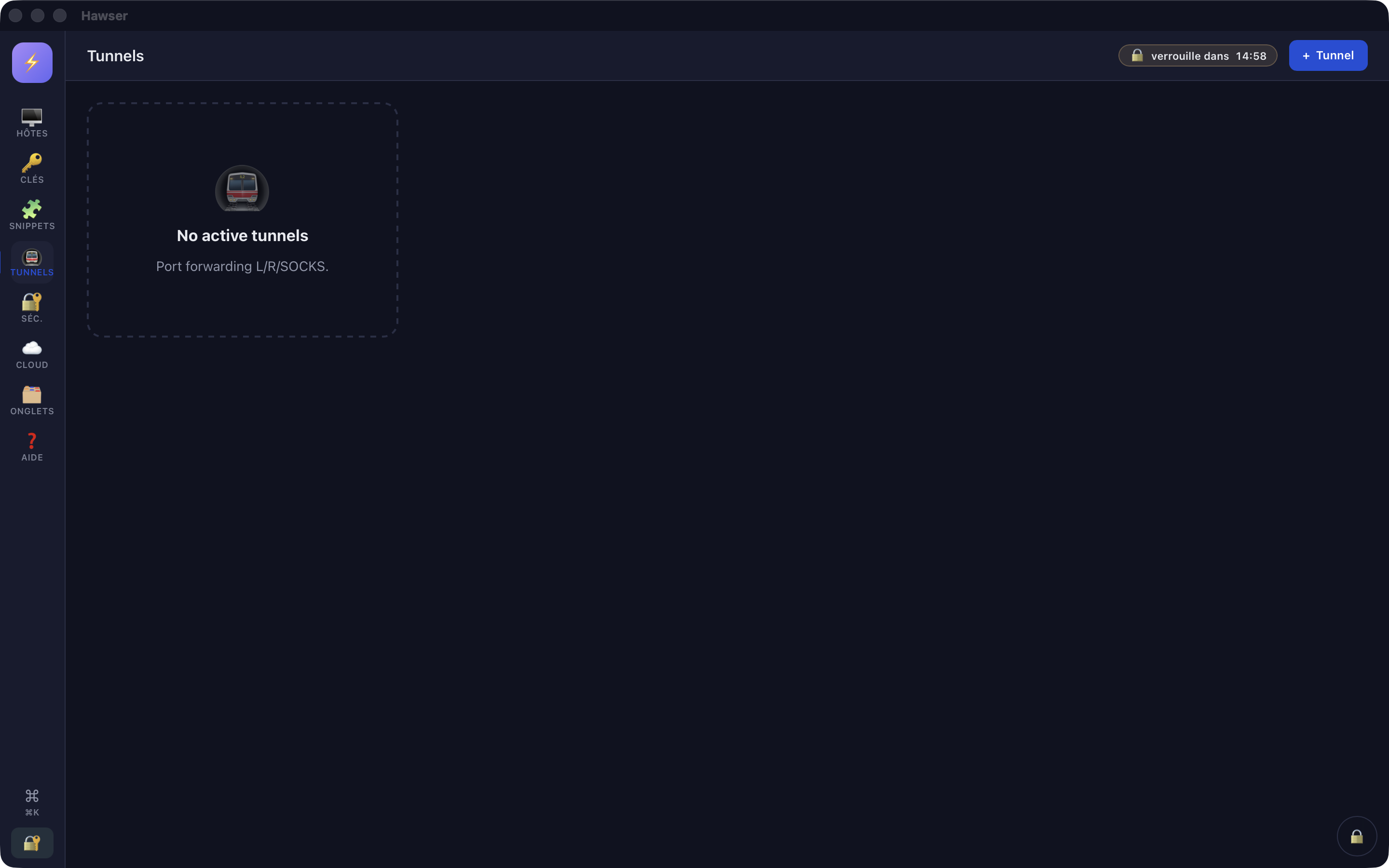
This version Tunnels do not start. The button on the « New tunnel » modal answers Tunnels not implemented in this build, the list stays empty, the stop button does nothing, and no tunnel definition is stored in the vault. In the meantime, use the macOS Terminal.
ssh -N -L 8080:localhost:80 user@serverThe Tunnels view always shows this empty state, in English whatever language is chosen: no row can appear there in this version.
Uploads and downloads work, over SFTP as over FTP, with a progress bar. Selection goes through the macOS file picker; drag and drop from the Finder onto the remote pane also works. See Transferring files .
This version Remote editing (✏️ Éditer, Edit) works over SFTP only. Over FTP the message is: « L'édition de fichier n'est pas disponible en FTP — téléchargez le fichier, modifiez-le, puis renvoyez-le. » (file editing is not available over FTP; download the file, change it, then upload it again).
This version Preview (👁️ Aperçu) does not display: the window stays empty or shows a broken image, with no error message. Download the file to view it.
This version Drag and drop between the two panes of the application transfers nothing, in either direction. The local pane is for looking; to queue a local file for upload, double-click it (a folder does nothing). Dragging from the Finder remains the reliable gesture.
This version The ← and → arrows in the toolbar have no effect: no navigation history is kept. Use ⌂ to go up one level.
This version The LOCAL pane silently hides any name beginning with a dot: a folder containing .env, .git or .ssh looks empty or incomplete. On the remote side, hidden files are shown. « Local sync » uses the same filter.
This version No resuming of interrupted transfers, no « Réessayer » (Retry) button: an upload that is cut off starts again from zero. No multiple selection, no sorting, no search, no direct copy between two servers. Permissions and symbolic links cannot be changed; the Droits (permissions) column is informational and appears only when you hover over the row, as do the date and the ⋯ button. Right-clicking the row remains the safest route.
This version FTP listing understands the UNIX format only. A Windows FTP server will return an empty list with no message.
Tip The status bar at the bottom of the tab stays stuck on « Connexion… » (Connecting…): this is not a sign of trouble. Trust the table — if it fills in, the session is established. The ⇅ queue badge at the bottom left never empties either: its counter accumulates transfers since launch.
This version The ✨ Générer (Generate) button does not store the key it produces. The modal shows « Clé générée (SHA256:…). STORE.keys non trouvé — copie manuelle requise. » and the private key is displayed nowhere: it is lost when the modal closes. Generate your key pairs outside the application, then import the private key with + Clé (Add key).
ssh-keygen -t ed25519 -C "my-mac"</br>ssh-keygen -y -f ~/.ssh/id_ed25519 # recover the public keyThis version Hawser never displays or copies the public key of a stored key, and an imported key does not even contain one. To fill ~/.ssh/authorized_keys on the server, derive it with the second command above. There is no equivalent of ssh-copy-id either.
This version No key export . The application's only export produces an ssh_config with no IdentityFile. A passphrase-protected key stored in Hawser cannot be got back out through the interface: always keep a copy elsewhere.
This version Re-editing a passphrase-protected key updates its name only: whatever you retype in the PEM field is lost with no message. To replace such a key, delete the entry, create it again, then re-select it on every host record concerned.
This version The « Clé privée (PEM) » (private key, PEM) field also accepts a public key: the entry is saved with the ✓ verified badge. The error only appears at connection time (decode private key: …). Check that you are pasting the block starting with -----BEGIN OPENSSH PRIVATE KEY-----.
Careful Deleting a key still used by hosts triggers no warning, even when the row shows « 3 uses ». The connections concerned then fail with « Clé SSH introuvable (vérifie l'host : authType=key sans keyId valide) » (SSH key not found).
Careful A key's passphrase is stored in the clear next to the key, inside the encrypted vault. It therefore adds no protection while the key lives in Hawser: it only protects the key if you copy it elsewhere.
This version The master password cannot be changed. On an .ivault vault — every vault this version creates — the engine refuses of its own accord: « le changement de mot de passe n'est pas encore disponible pour les coffres au format .ivault » (changing the password is not yet available for .ivault vaults). Choose it for the long term at creation.
This version Touch ID cannot be enabled. No screen offers enrolment and the .ivault format refuses it. The 👆 Touch ID button on the unlock screen can only appear on older .outpost vaults.
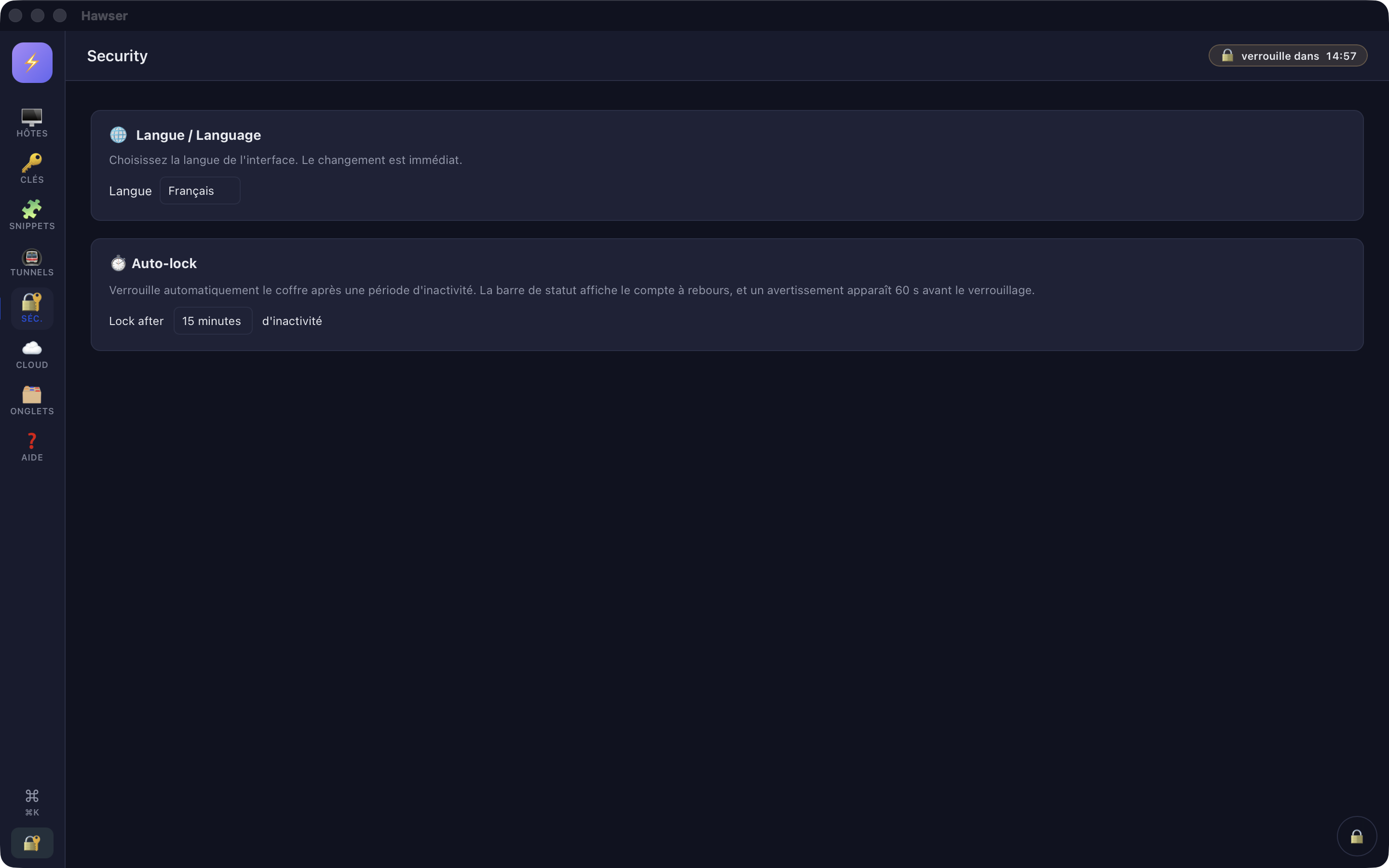
Careful Auto-lock does close the vault, but it does not return you to the home screen: the host list stays on display while the vault is closed, and every subsequent change fails with no vault open. The only clean exit is the round 🔒 button in the dock, at the bottom right, or ⌘L. The 🔐 padlock in the rail is decorative.
This version The activity taken into account is the keyboard, the mouse, clicks, touches and the window regaining focus. Traffic from an SSH session does not count: watching a tail -f scroll past without touching anything still triggers the lock.
This version There is no host fingerprint management screen at all. You cannot list a fingerprint, forget one, or import ~/.ssh/known_hosts from the application.
This version Hawser keeps the last 5 encrypted versions of your vault, but no button restores them. Restoring is done by hand in the Finder, then Ouvrir un coffre (Open a vault) on the copy.
~/Library/Application Support/ch.ilygo.hawser/vault-backups/The Séc. (Security) view holds only two settings: the language and the auto-lock delay (15 minutes by default). That delay is remembered per machine, not per vault.
Careful Opening a cloud vault replaces the local copy without comparing dates . If the last automatic upload had failed (offline, quota reached, session expired), the more recent local changes are destroyed silently. The red toast « Envoi vers le cloud échoué — votre coffre local est bien enregistré. » (upload to the cloud failed; your local vault is saved) is your only signal: make another change to force a fresh upload before closing the vault.
This version There is no manual upload or download button . After a failure, the only way to retry is to change something in the vault so the automatic upload fires again.
This version Version history cannot be browsed and no targeted restore is possible from the application. Recovering a specific version goes through support.
This version A cloud vault can be neither deleted nor renamed from the application. The quota is counted at account level, across all vaults: an abandoned cloud vault weighs on your plan indefinitely.
This version No conflict handling between two Macs. The rule: one Mac at a time , and close the vault (🔒 in the dock or ⌘L) before switching machines.
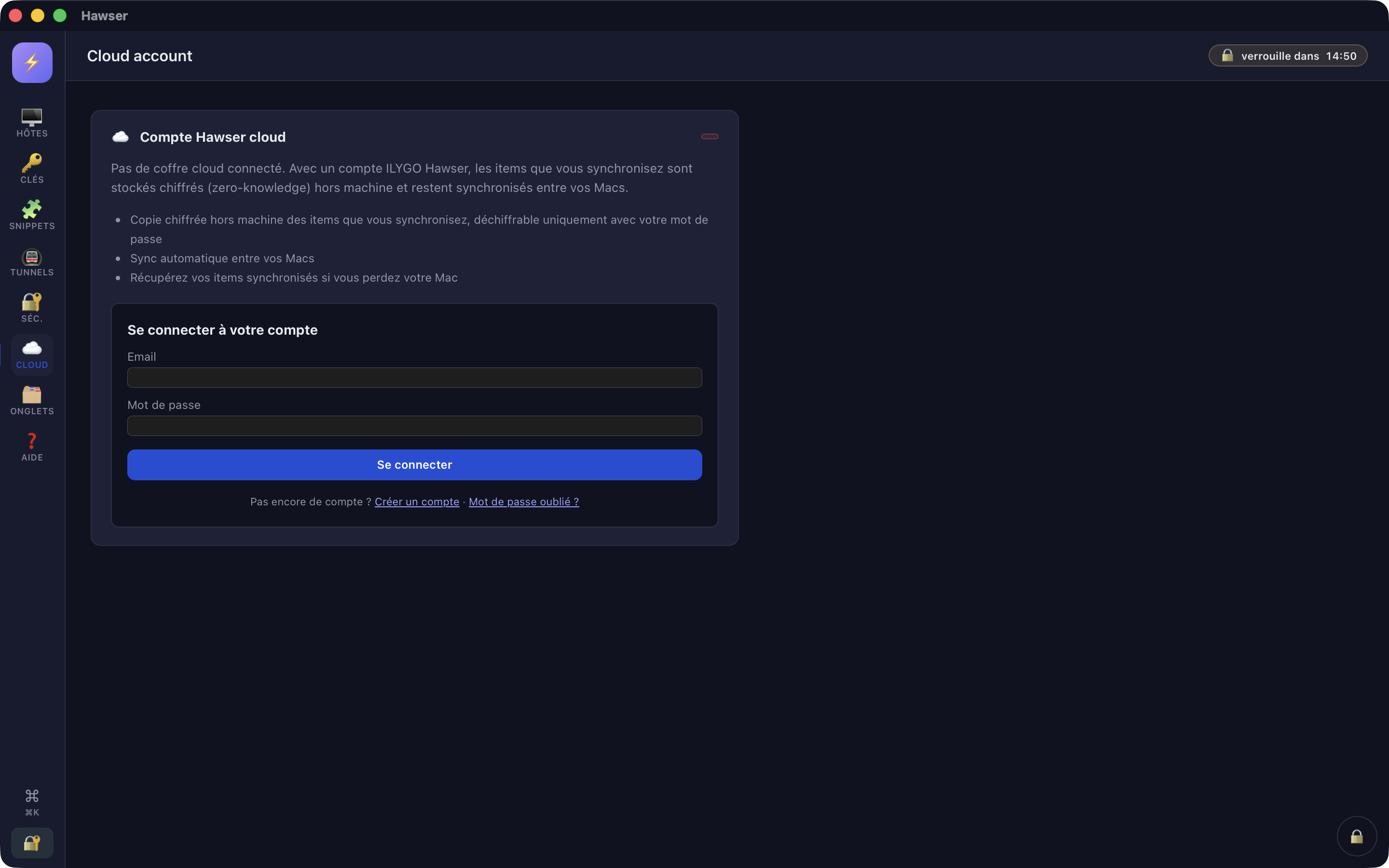
This version From the application you cannot change the account password, enable two-factor authentication, or choose a sync server. These are done on the website, via Gérer mon compte (Manage my account). The « Créer un compte » (Create an account) and « Mot de passe oublié ? » (Forgotten password?) links land on the generic sign-in screen, not on the tab announced.
As long as no cloud vault is paired, the Compte (Account) view shows this form again — even once you are signed in. It is not a sign-in failure.
I cannot open an SSH session
Click 📡 Test all in the top bar: if the host stays red, the problem is network or firewall, not authentication. Open the host record (⋯ menu → Edit) and check the address, the port and the user. Changing protocol does not reset a custom port. With key authentication: check that the key still exists in the Keys view. The message « Clé SSH introuvable (vérifie l'host : authType=key sans keyId valide) » means it has been deleted. Check that the matching public key is in ~/.ssh/authorized_keys on the server. Hawser cannot show it to you: derive it with ssh-keygen -y -f. If the connection takes a long time before failing: the floor timeout is 180 s and cannot be reduced. The server fingerprint has changed
In practice — A server has been reinstalled
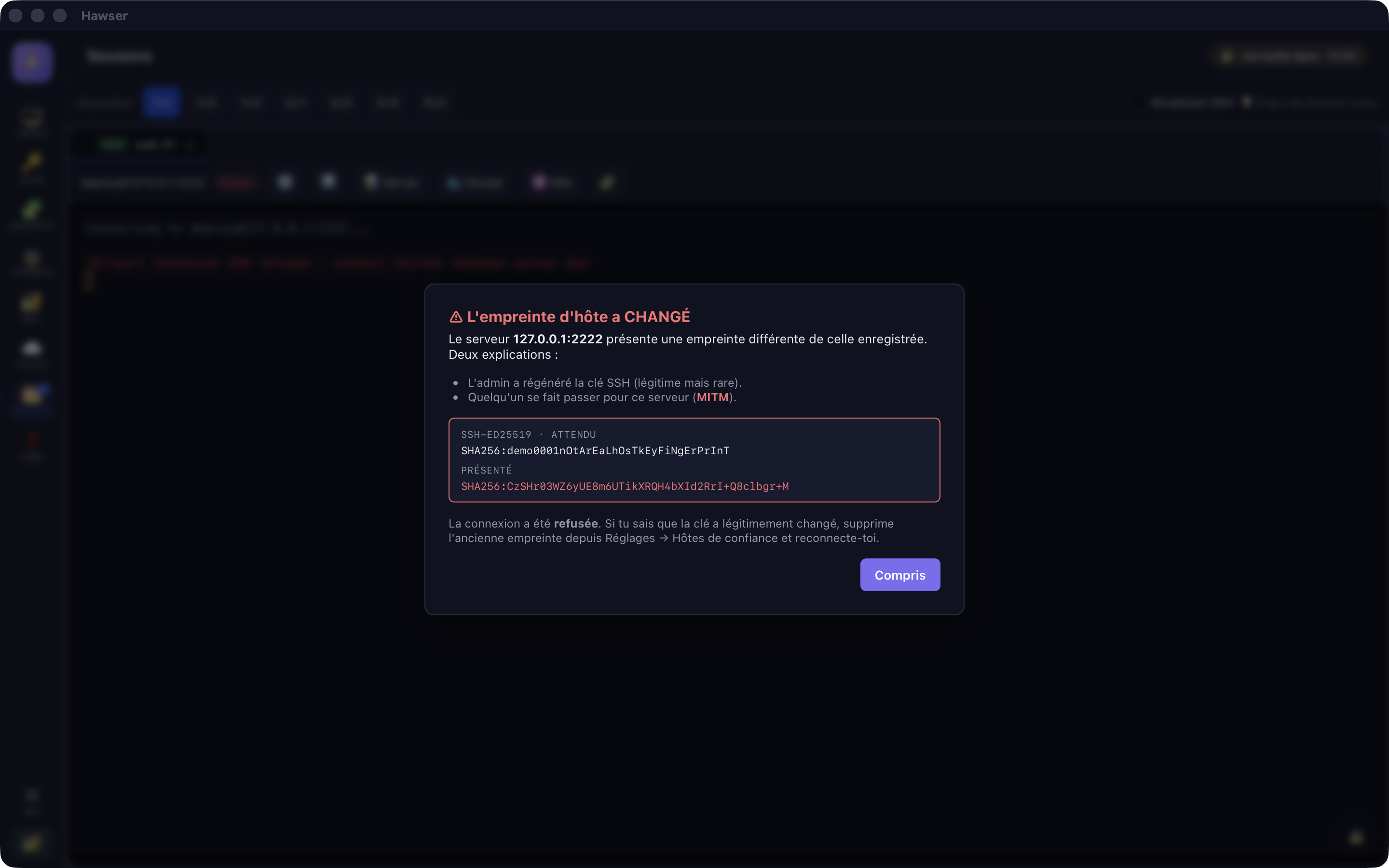
You reconnect to a known host and Hawser refuses with « ⚠ L'empreinte d'hôte a CHANGÉ » (the host fingerprint has CHANGED).
First check with the administrator that the server key really was regenerated. If it was not, do not reconnect: this may be an interception.
If the change is legitimate, the window points you to « Réglages → Hôtes de confiance » (Settings → Trusted hosts). That screen does not exist in this version. Deleting and recreating the host record is not enough either, as long as the address and the port do not change: the fingerprint stays recorded in the vault.
There is no fix inside the application. Write to support with the host name and its port; this is the most awkward case in this version and it is being treated as a priority.
The last paragraph of this window points to a screen that does not exist yet. The connection is genuinely refused, which is the right behaviour. My file upload fails
Read the toast: « Échec de l'envoi de <fichier> : <détail> » (upload of <file> failed). The detail comes from the server — most often missing write permissions on the remote folder. « Pas encore connecté » (not connected yet) means the tab has not finished establishing the session: wait for the table to fill in. « Réponse invalide du serveur SFTP » (invalid response from the SFTP server) indicates a broken session: close the tab and open it again. If the remote folder is right but nothing goes when you drag and drop: folders are not supported, only files are. Nothing saves, but my hosts are still there
You are probably after an auto-lock: the vault is closed, the screen is not. The errors mention no vault open. Click the round 🔒 button in the dock, at the bottom right, to return to the home screen. Open your vault again. Hosts and keys already saved are intact; only settings changed just before the lock may be missing. My vault no longer appears in recents
Use Ouvrir un coffre and select the .ivault file directly: the access permission granted by the file picker does not always survive a relaunch, especially for a vault kept outside the application folder. If creating a vault fails with a message saying the file already exists, choose another name: Hawser refuses to overwrite an existing vault. A file name containing dots is truncated from the last dot onwards (« coffre.2026.01 » becomes « coffre.2026.ivault »).
The application contains no contact link. Write to hawser@ilygo.ch from your account address.
What to include
The Hawser version and the macOS version. The exact view and button (for example: Hosts view → ⋯ menu → Test). The error message copied word for word , or a screenshot of the whole window. The protocol concerned (SSH, SFTP, FTP, Telnet) and, if useful, the type of server at the other end. What you expected, and what happened. One line is enough. Careful Never send your .ivault file, a private key, a passphrase, a server password or your vault password. No one at ILYGO will ask you for them. Support could do nothing with them anyway: the encryption is zero-knowledge, and nobody here can open your vault.
Tip Before writing, check whether your case already appears above: the limits listed on this page are known, tracked, and do not need reporting.