The SSH client
that doesn't leak your keys.
One native macOS app for SSH, SFTP, FTP and Telnet. Your hosts, passwords and SSH keys stay in an encrypted file on your Mac, and optional Swiss-hosted sync carries that same file to your second Mac — we never hold the password that opens it.
One client. All your protocols.
No more switching between iTerm + Cyberduck + 1Password. ILYGO Hawser handles SSH, SFTP, FTP, Telnet, plus your credentials, in one native binary.
SSH in one click
Open a shell from the host list in one click. The SSH engine is native and reconnects on its own when the link drops. Your start-up snippets run as soon as the shell opens.
SFTP, FTP & Telnet
Browse the remote tree, create, rename and delete, and move files both ways with a progress bar. Drop files straight from the Finder onto the remote pane; local and remote sit side by side in the same tab.
Everything in one encrypted file
Hosts, passwords and SSH keys live in a single .ivault file whose location you choose — nothing scattered, no plaintext config. AES-256-GCM at rest, Argon2id from your master password. None of it needs the cloud.
Zero-knowledge sync
Optional, and idle until you create an account. After every save your Mac uploads the encrypted file to Swiss servers; opening it on your second Mac downloads it back. We store the ciphertext and a count of items for the quota — never your password, never your hosts in the clear.
A copy before every save
Before writing your vault, Hawser copies the previous encrypted version into a folder outside the vault’s own, so a third-party sync tool cannot take both down. The 5 most recent copies are kept; you reopen one from the Finder if you ever need it.
Dashboards instead of commands
From an open SSH tab, one click shows the server load, disk and memory, the Docker stack, or your Kubernetes nodes and pods. Hawser runs the commands over the same connection and lays out the result; the raw output stays one click away.
A glimpse
Real screenshots of the current build.
Connections hub
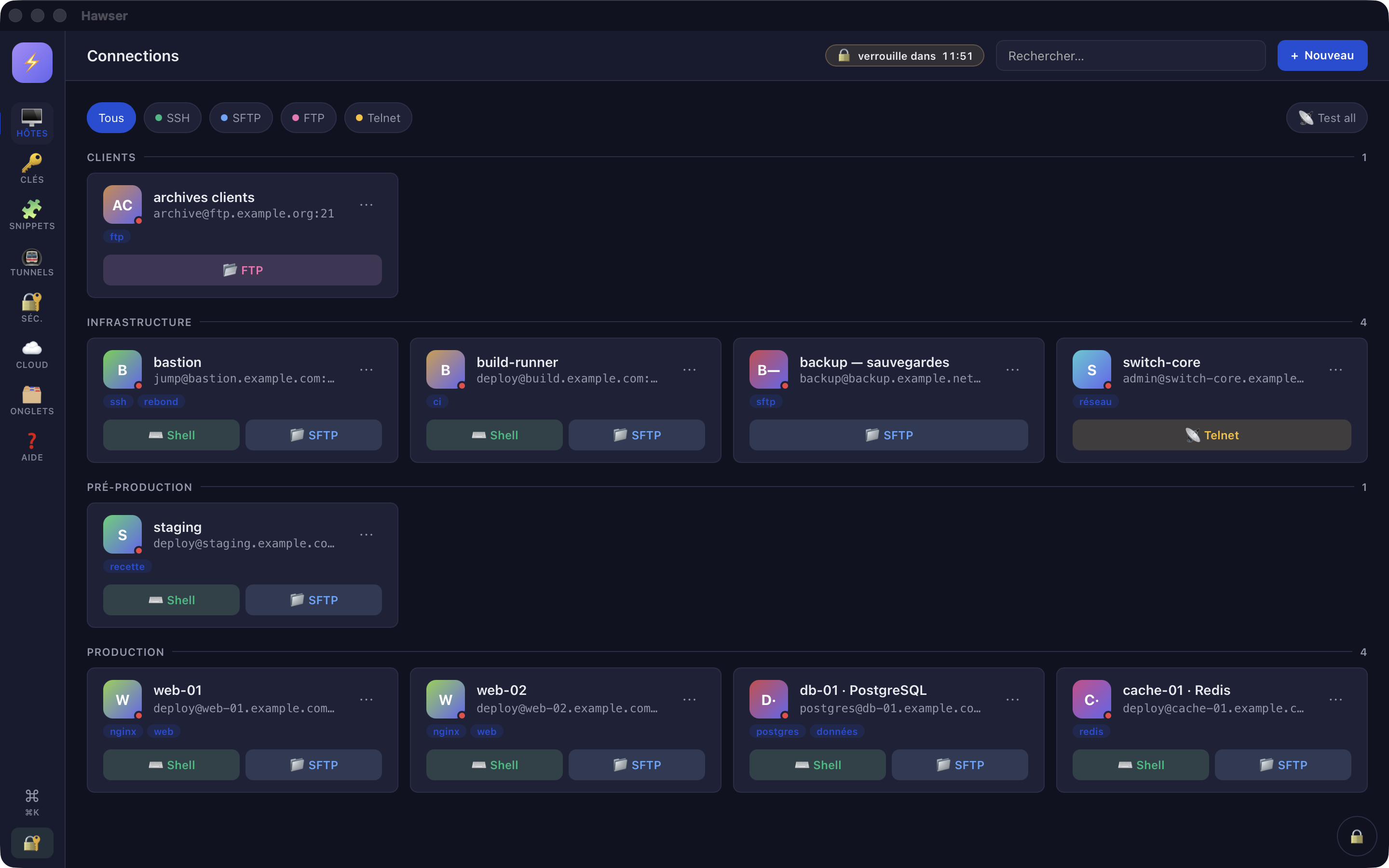
Every host you administer in one searchable list, grouped as you like, with a dot showing what answers right now. One click opens a shell or a file browser.
Cloud account
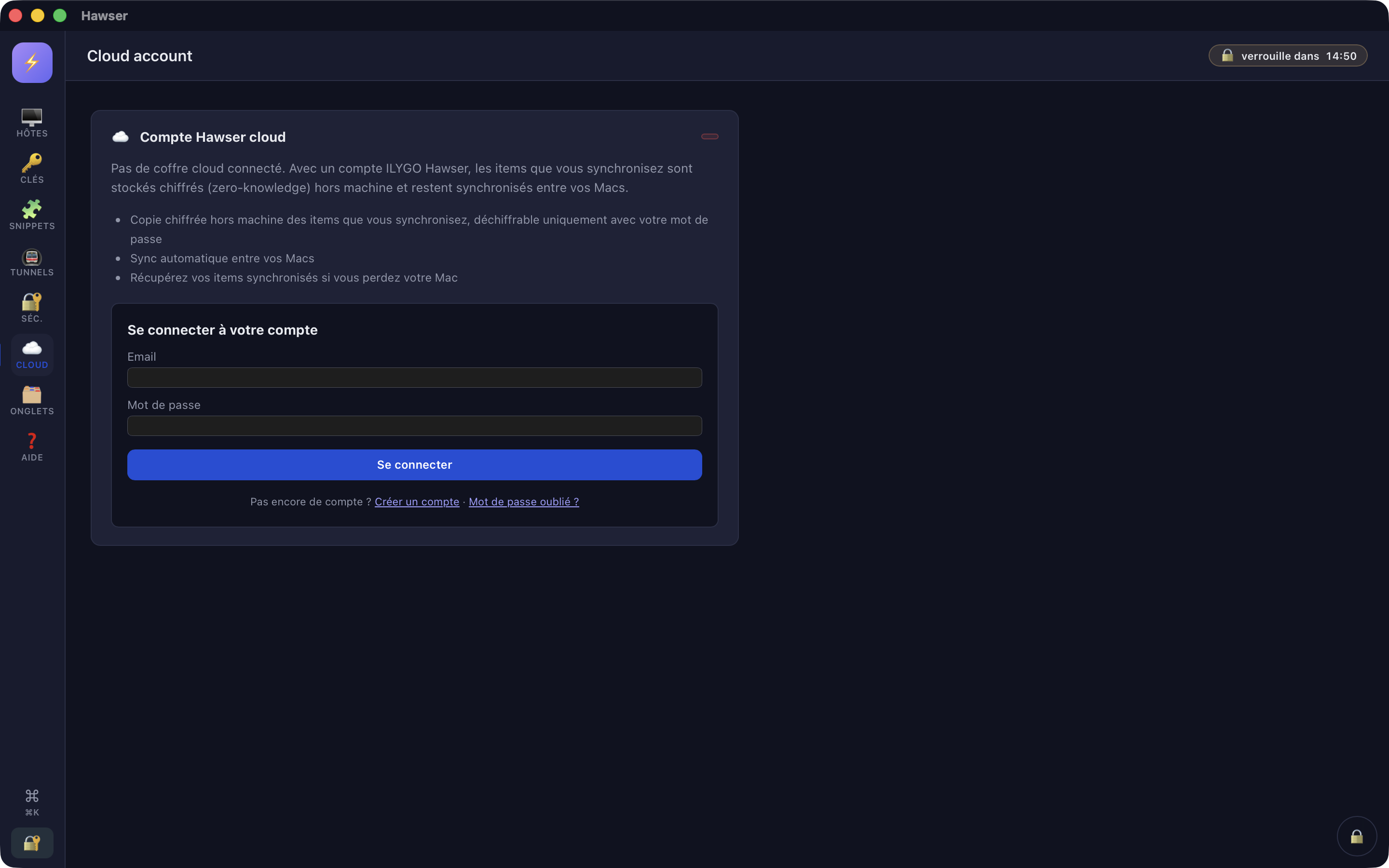
Create an account, create a cloud vault, and every save uploads it encrypted. Open that same vault on your second Mac to pick up where you left off — one Mac at a time. 10 items free, 100,000 with Pro.
Auto-lock
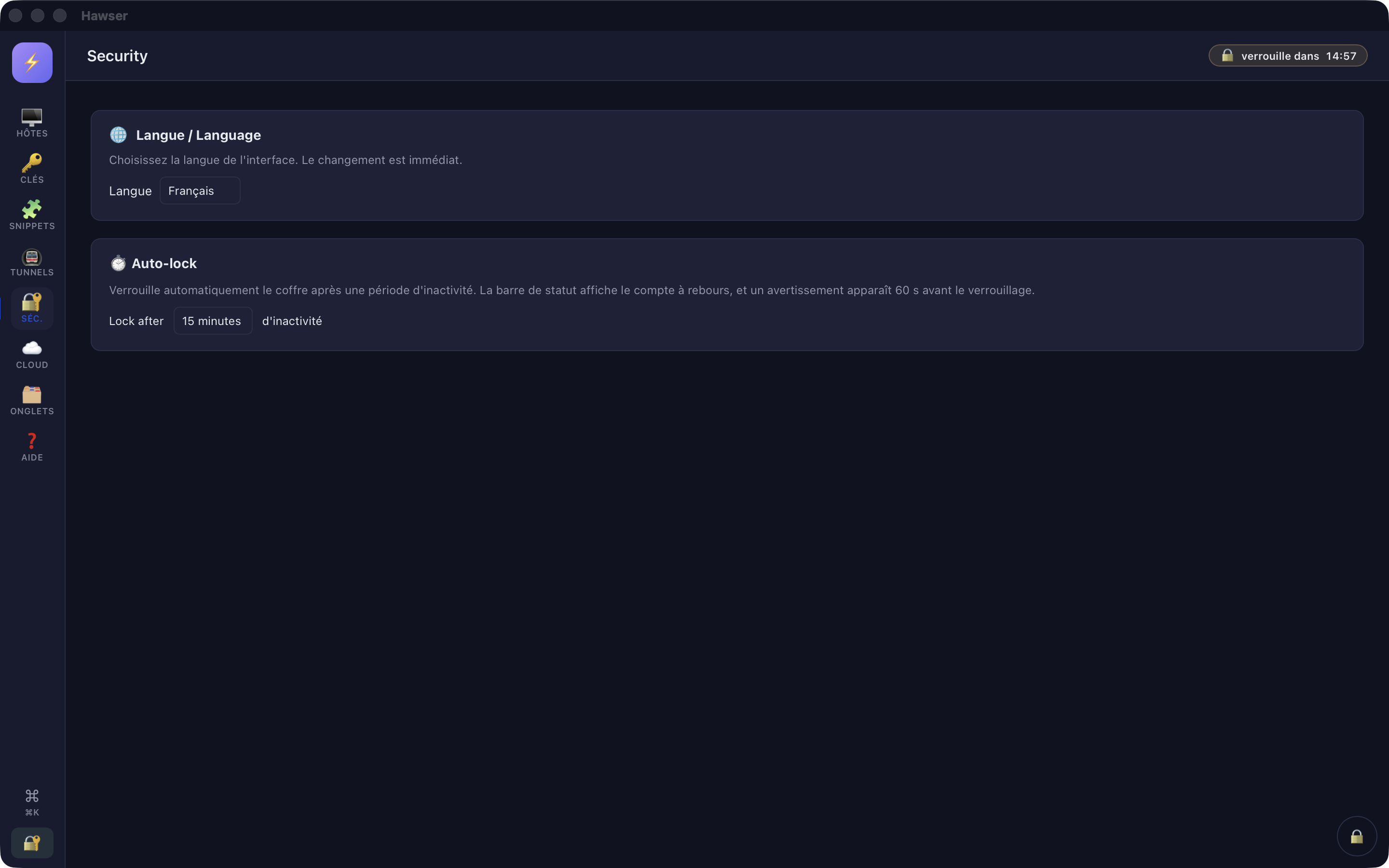
Step away and the vault closes itself. Choose the idle delay (1 minute to 1 hour, or never), follow the countdown in the top bar, and get a 60-second warning with the option to stay. ⌘L closes it right away.
In-app help
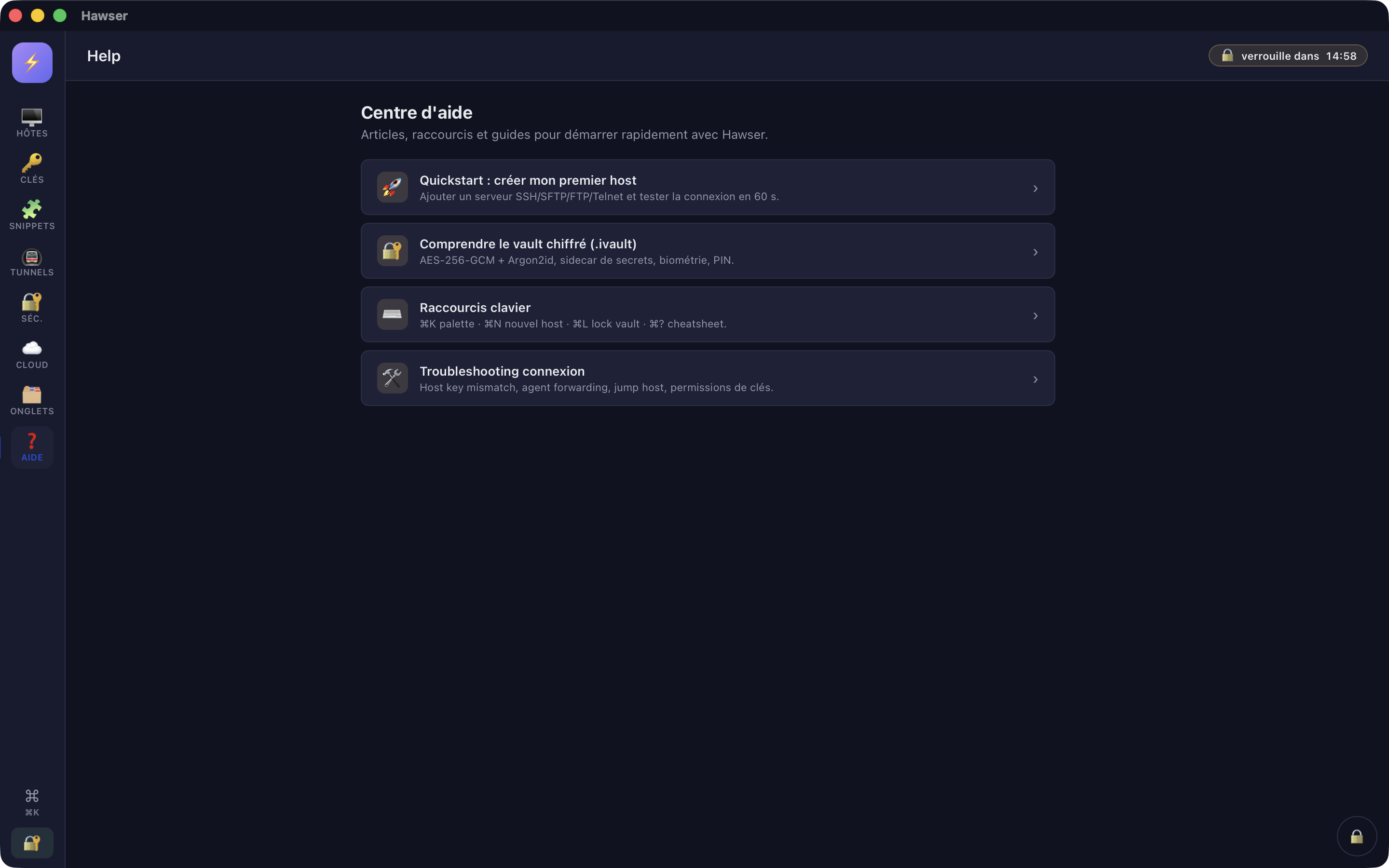
The complete manual, built into the app and readable offline — every screen, every setting, and what this version does not do yet. Each view opens with a short help box pointing to the right page.
Three plans: the quota, then sharing.
The desktop app stays free. Cloud sync starts at 10 items, Pro lifts that ceiling to 100,000, and Enterprise adds vaults shared between several people — each with their own key.
- Native SSH, SFTP, FTP & Telnet client
- Local encrypted vault (.ivault)
- Auto-lock after idle, ⌘L to lock on the spot
- Unlimited hosts and SSH keys in your local vault
- 10 items in cloud sync
- enough to keep your everyday machines in step between two Macs, with no paid account
- Everything in Free
- 100,000 items in cloud sync (hosts and SSH keys)
- No ceiling you will meet — 100,000 items is a bound against abuse, not a limit on your work
- Same zero-knowledge design, same Swiss hosting — Pro only raises the limit
- Direct email support from the team that builds it
- Everything in Pro
- Shared vaults across several people
- Each person opens the vault with their own key, without ever knowing anyone else’s password
- Reader, editor and administrator roles
- Invitation by email address, and a fingerprint the two of you check aloud
- The server still reads nothing — sharing stays end-to-end encrypted
- no self-service checkout yet — write to us and we open your space
Included in every plan, free accounts too: Swiss hosting, two-factor authentication on your account (enabled from your account page on the web), and the last 100 uploads of your vault kept server-side.
Quotas indicative — final pricing may evolve before public release. Two technical caps apply to every plan alike: 10 MB per uploaded file, 64 KB average per item.
Your secrets stay on your Mac.
ILYGO Hawser is designed under a strict threat model: the server is hostile, your laptop may be lost, and credentials must survive both.
The server can't read your vault.
Your master key never leaves your Mac. What the server receives is the AES-256-GCM encrypted file plus a count of items for the quota. Even with full access to it, an attacker gets blobs he cannot open.
Account compromise ≠ vault compromise.
Stealing your sync account password lets an attacker download your ciphertext. Without the (separate) vault password, it stays unreadable.
Two safety nets, and what each one does.
On your Mac, the encrypted versions written before your last 5 saves are kept in a separate folder — you reopen one from the Finder. On the server, your last 100 uploads are kept; restoring one of those is done with us, at hawser@ilygo.ch.
Your vault is a file you own.
One .ivault file: copy it to a backup disk, carry it to another Mac, keep it wherever you like. The format is shared across the ILYGO suite, and your hosts export as a standard OpenSSH config.
A changed host key stops the connection.
The first time you reach a server, Hawser shows its SHA256 fingerprint and asks you to trust it once or for good. If that fingerprint later changes, the connection is refused outright — there is no button to click through.
Native code, and memory that gets cleared.
A real macOS app, no Electron. Encryption uses AES-256-GCM and Argon2id, two standards that have been under public scrutiny for years. When the vault closes (⌘L or auto-lock), the decrypted contents leave memory.
What actually changes for you
Four differences you can check yourself, on the first day.
One file, and it is yours
Your hosts, SSH keys and passwords live in a single encrypted .ivault file, wherever you put it. You copy it, back it up and move it like any other file.
The server never holds the key
Sync is optional. The server receives the encrypted file and a count of items for your quota — never your master password, which does not leave your Mac.
Four protocols, one window
SSH, SFTP, FTP and Telnet share the same tabs and the same vault.
Swiss from code to hosting
Published by ILYGO Sàrl and hosted in Switzerland. The app works entirely offline.
Downloads open soon.
Native binaries are in the works. The desktop app will be free; cloud sync is optional and starts free with 10 items — enough for your everyday machines.